
Run your programme.
Not your spreadsheets.
Hexis (ἕξις) — an acquired disposition; the state of excellence developed through sustained practice.
Hexis is the operations platform for programme directors and administrators at youth coding clubs and STEM enrichment programmes. Attendance, notes, module progression, and end-of-term reports — all in one place, for every student, every session.
The admin is eating your programme
Every hour spent on spreadsheets is an hour not spent on your students.
Paper registers
Manual sign-in sheets get lost, misread, or ignored. You only find out at the end of term.
Scattered notes
Educator observations live in notebooks, Slack messages, and memory. Nothing is findable when you need it.
Report chaos
End-of-term feedback reports take days to compile. You're chasing educators for updates the week before deadline.
No visibility
You don't know who's in the room, which students are struggling, or which modules are behind — until it's too late.
Attendance gaps
Students clock out and no one notices. Auto clock-out notifications are a spreadsheet macro nobody runs.
Compliance risk
You're holding student data in tools that weren't built for it, with no audit trail.
Hexis was built to solve every one of these.
Everything your programme needs
Built for the way youth education actually works.
Smart Attendance & Kiosk Mode
Clock in. Clock out. Done.
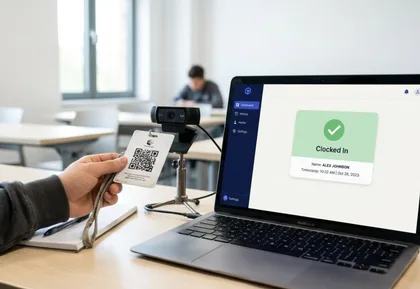
Students clock in and out via a dedicated kiosk interface — no educator involvement required. Identify by QR code or PIN. The kiosk is full-screen, touch-friendly, and built for shared devices. Auto clock-out fires at configurable times and notifies your admin team automatically.
- QR code and PIN clock-in
- Touch-optimised kiosk mode
- Per-tenant auto clock-out with notifications
- Full attendance history per student
- Flagged late or missing clock-outs
Educator Notes
Observations that actually get recorded.
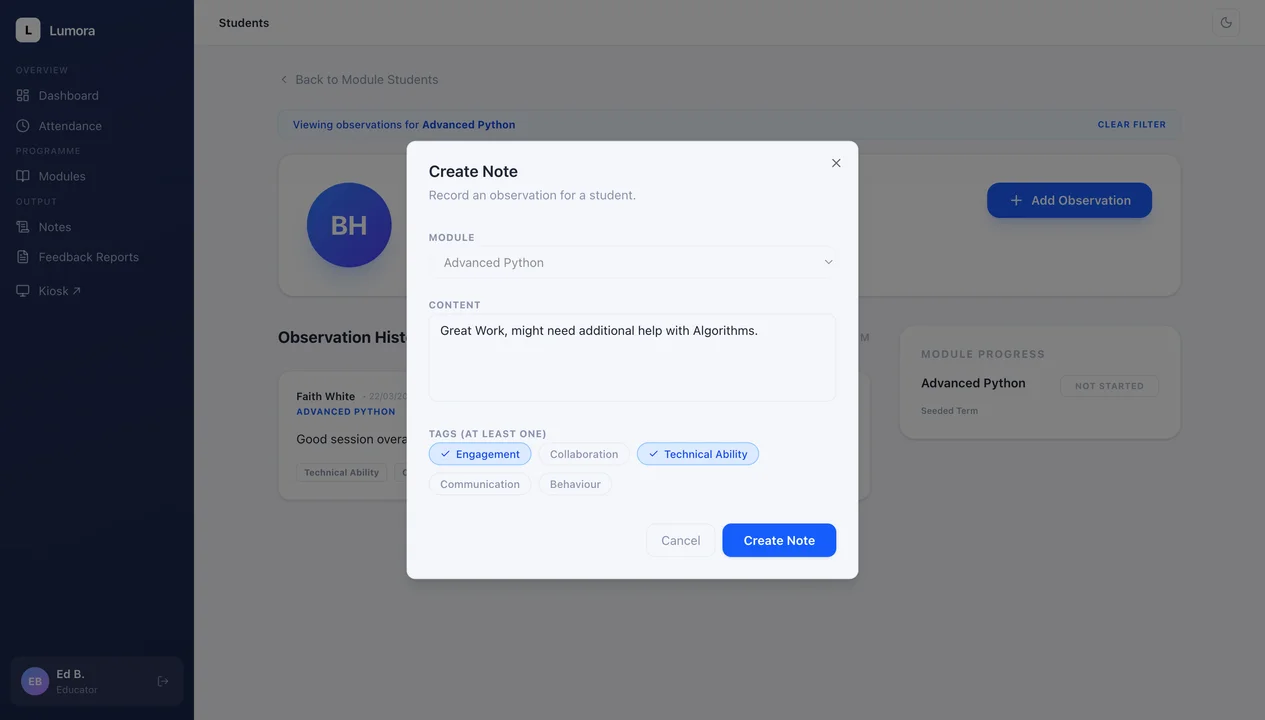
Educators log structured notes directly from the student list — no page navigation, no forms to open. Tag each note by dimension (Engagement, Collaboration, Technical Ability, Communication, Behaviour — configurable per organisation). Private notes stay private. Everything else is visible across your educator team.
- One-click note creation from the student list
- Configurable tag taxonomy per organisation
- Private notes for sensitive observations
- Module-scoped notes for technical feedback
- Searchable and filterable note history
Student & Group Management
Your cohorts. Organised.
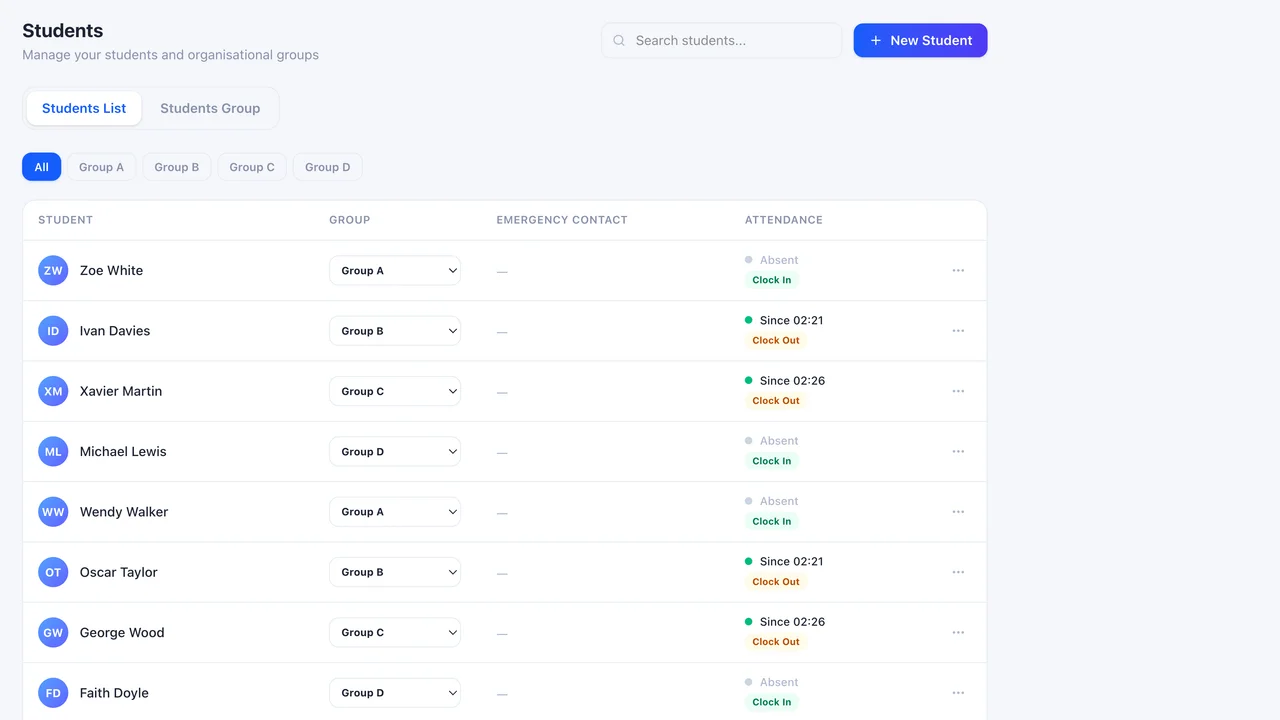
Manage students across terms, groups, and modules. Each student has a profile with their full history — attendance, notes, module enrolments, and progress status — in one place. Bulk import via CSV. Archive students between terms without losing their data.
- Term and group structure
- Module enrolment with per-student status tracking
- Full student profile with history
- CSV import
- Student archiving (GDPR-safe soft delete)
- PIN and QR code generation per student
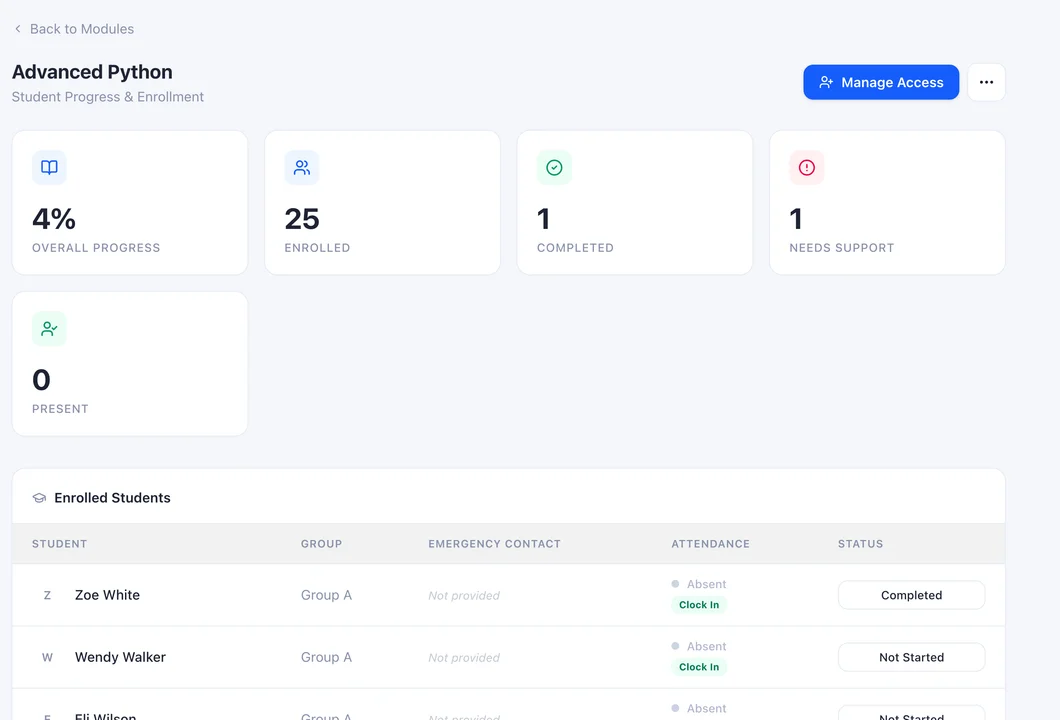
Module Progression Tracking
Know where every student stands.
Each student's progress through a module is tracked directly — Not Started, In Progress, Needs Support, Completed. Educators update status inline. Admins see the full picture across all modules and cohorts. No chasing. No guessing.
- Four-state status per student per module
- Inline status update (no separate form)
- Educator and admin views
- Status visible on student profile and module page
- Feeds into end-of-term reports
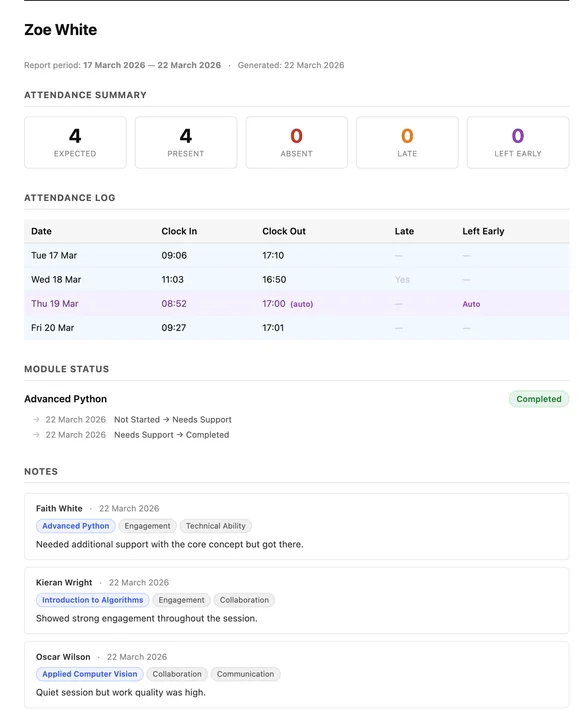
End-of-Term Report Generation
Reports in minutes, not days.
Hexis pre-populates end-of-term feedback reports with everything it already knows: attendance records, module statuses, and educator notes. Educators review and edit in the browser. Export to PDF in one click. Version history is tracked automatically.
- Auto-populated from real data
- Editable in-browser before export
- One-click PDF export
- Version history per student per term
- Admin oversight of all reports
Admin Dashboard & Notifications
The whole picture. At a glance.
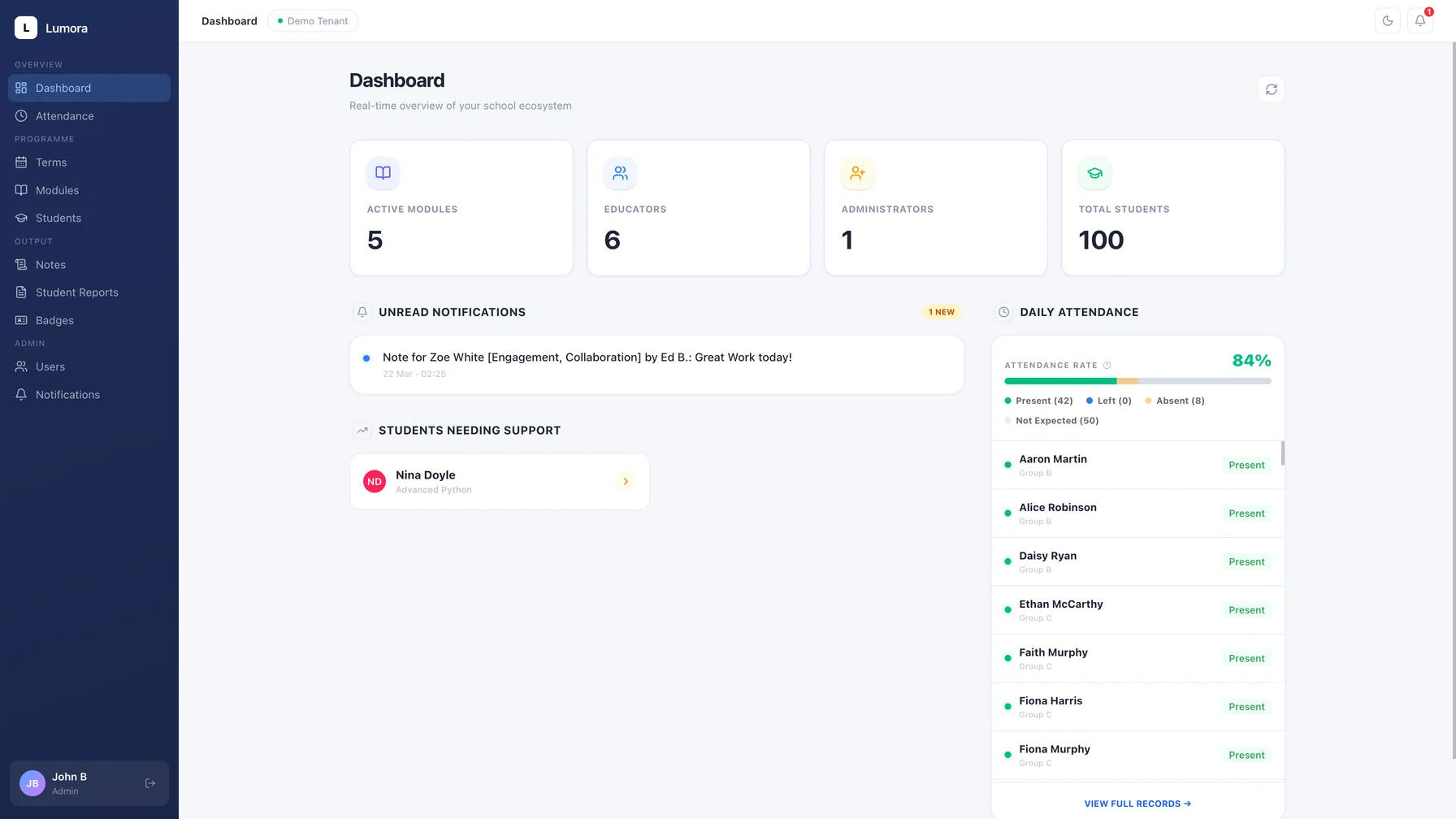
Your admin dashboard shows you today's attendance, active students, recent notes, and any flagged events — the moment you open it. Notifications alert you to auto clock-outs, missing attendance, and anything else that needs your attention. An audit log tracks everything.
- Today's attendance summary
- Flagged event notifications (auto clock-out etc.)
- Notification inbox with clear/dismiss
- Full audit log for compliance
- Multi-role access (Admin, Educator, Developer)
Built for your whole team
Role-based access keeps everyone focused on what they need.
For Admins
- Full visibility across all students, groups, modules, and terms
- User management — invite and manage educators
- Organisation configuration (tags, auto clock-out time, etc.)
- Notification inbox and audit log
- Report oversight and PDF export
For Educators
- View assigned modules and enrolled students
- Log notes and update module status inline
- Kiosk access for clock-in (configurable)
- Generate and edit student feedback reports
- Private note capability
Simple, transparent pricing
Starting from — contact us for a quote tailored to your programme.
Starter
For smaller programmes getting organised.
- Up to 100 students
- Up to 5 educators
- Attendance tracking & kiosk mode
- Educator notes
- Student & group management
- Email support
Growth
The full platform for growing programmes.
- Up to 300 students
- Up to 15 educators
- Everything in Starter
- Report generation
- Badge generation
- Module progression tracking
- Priority support
Organisation
Tailored to your scale and requirements.
- Unlimited students and educators
- Multiple cohorts and terms
- Dedicated onboarding
- SLA and audit log access
- GDPR data processing agreement
All plans include EU data hosting, Firebase authentication, and role-based access control. Pricing shown is indicative — contact us for a tailored quote.
Ready to get your programme time back?
Set up takes less than a day. Your educators are in on day one.